
Depositing Tokens on B3
Learn how to bridge and deposit tokens from other networks to B3 using the built-in bridge interface
To interact with some games and features in the B3 ecosystem, you'll need tokens in your wallet. This guide walks you through how to deposit tokens using the B3 bridge.
How to Deposit Tokens
Log in to basement.fun
Log in to your account at basement.fun.
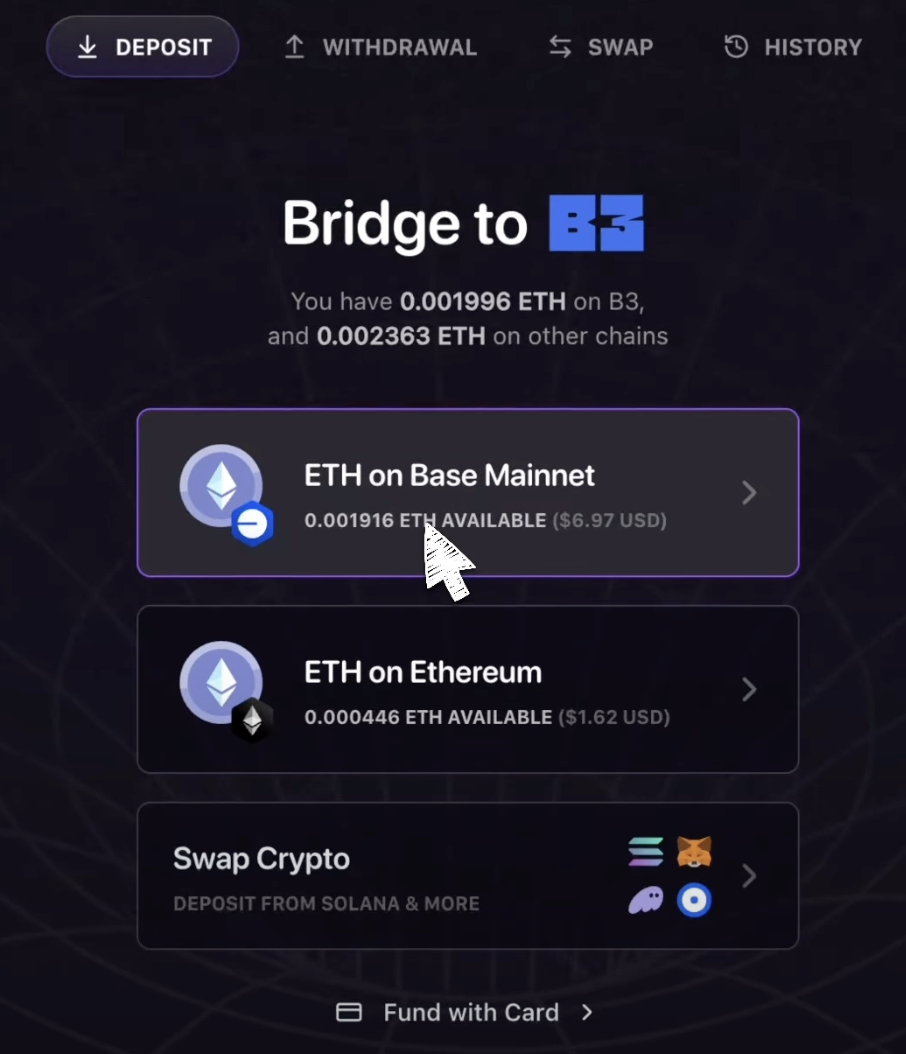
Select network and token
Select the network and token you want to deposit to B3.
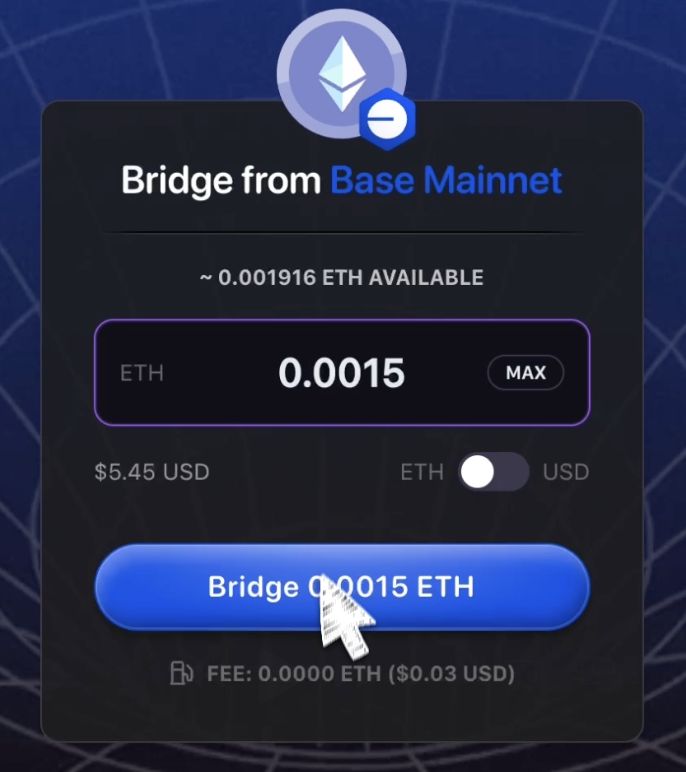
Enter amount and bridge
Enter the token amount you want to deposit and click Bridge.
Confirm transaction
Confirm the transaction in your connected wallet to complete your deposit.
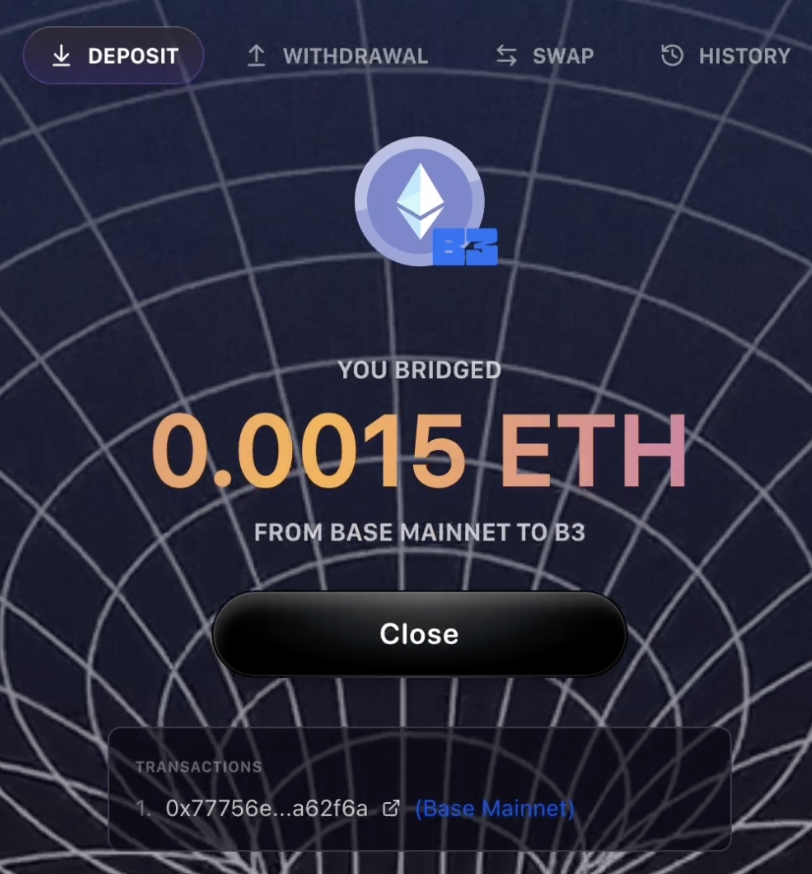
Check
Once the transaction is complete, your tokens will appear in your wallet.
Note
Deposits typically complete within a few minutes, but processing times may vary depending on network congestion.