
How to Swap Tokens
Learn how to swap tokens across different networks using B3's built-in multi-chain swap interface
With built-in multi-chain support, you can swap tokens across different networks, all from one simple interface. Whether you're preparing for a mint, consolidating assets, or moving between chains, this guide walks you through how to swap one token for another.
How to Swap Tokens
Navigate to the bridge
Log in to your account at basement.fun/bridge.
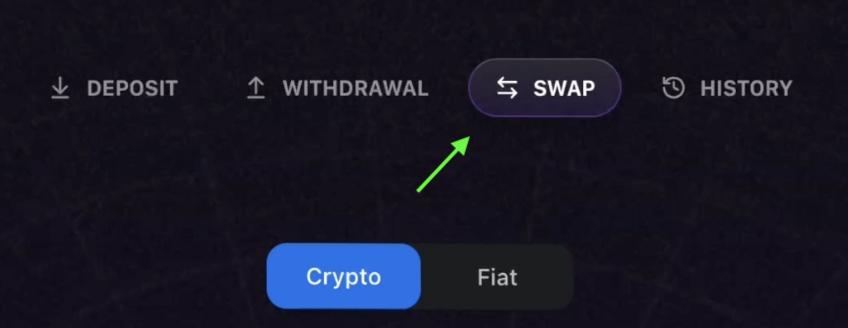
Select swap tab
Locate the tab labeled Swap and select it.
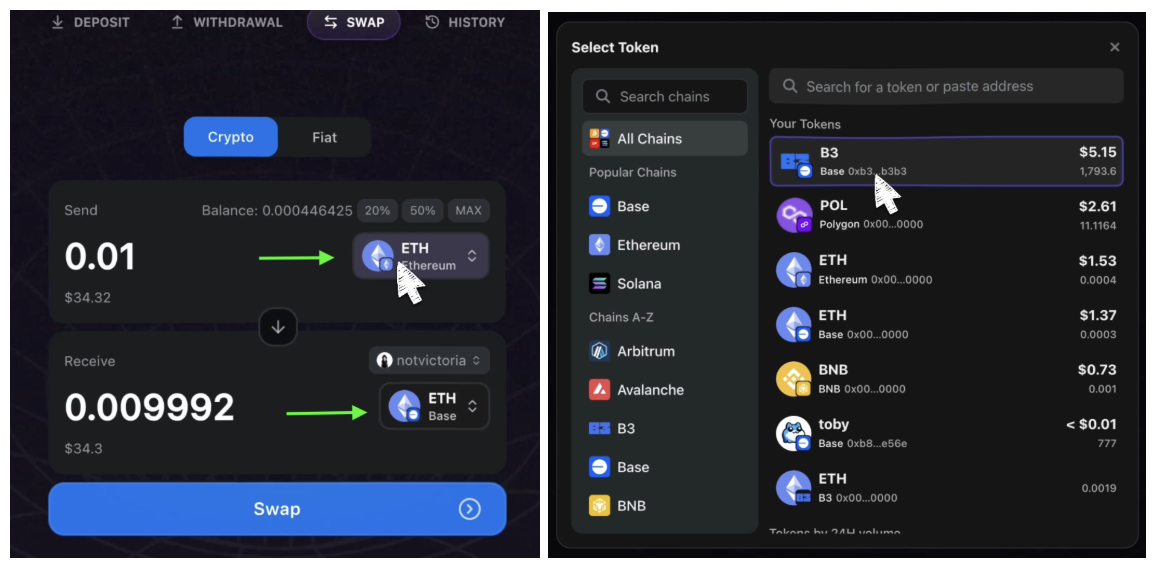
Configure swap parameters
Select the token you want to swap from and the token you want to receive, the token amount, and the chain.
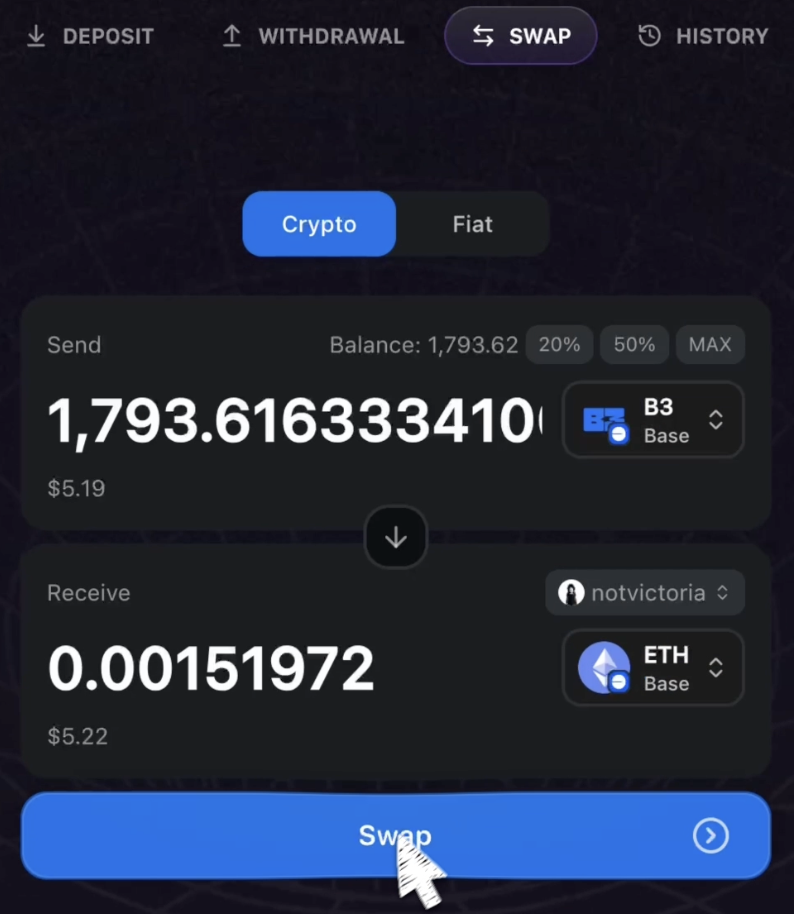
Review and confirm
Review and confirm that you have selected the correct token and amounts, and then click Swap.
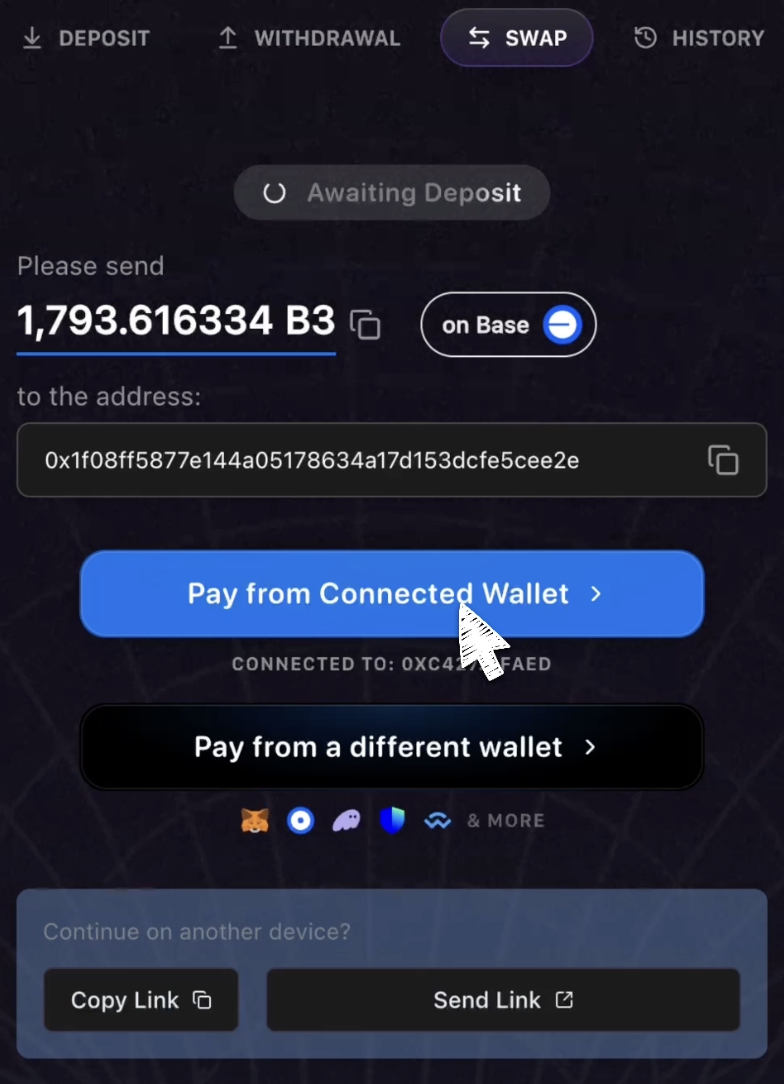
Choose payment method
Click Pay from Connected Wallet or Pay from a different wallet if you wish to use a different wallet from the one you have currently connected.
Complete the swap
Confirm the transaction in your wallet to complete the swap. Your swap may take up to a minute to process.
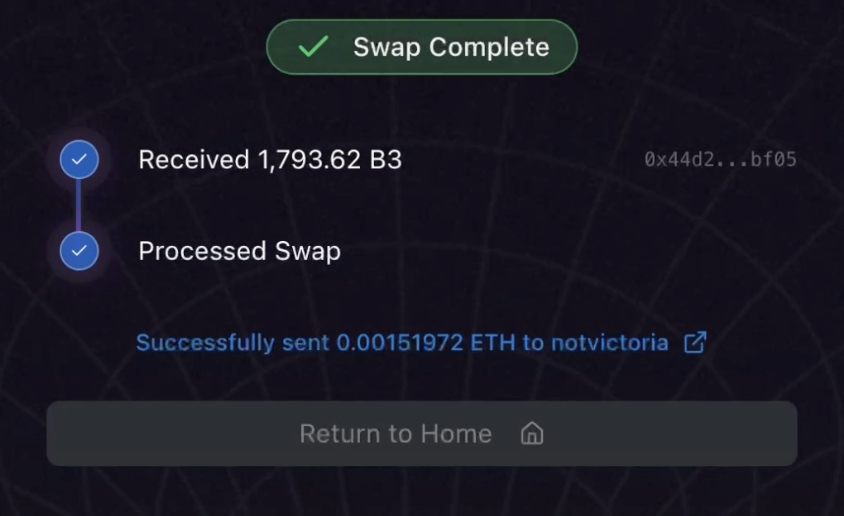
Your swapped tokens will appear in your wallet once the transaction is processed.
Swaps are processed quickly, but during periods of high network activity, transactions may take a bit longer to complete.