
How to Export Your Embedded Wallet on Basement
Learn how to export your Basement embedded wallet to use with other apps like Rainbow or MetaMask by copying your private key or recovery phrase
Want to use your Basement wallet in other apps like Rainbow or MetaMask? Exporting your embedded wallet gives you full control by letting you copy your secret recovery phrase or private key, so you can import it into any supported wallet.
Important: Never share your private key or recovery phrase with anyone. Anyone with access to it can take your funds.
Steps to Export Your Embedded Wallet
Log into Basement
Log into Basement.fun using your preferred login method.
Access profile menu
Click the profile icon in the top right corner of the page.
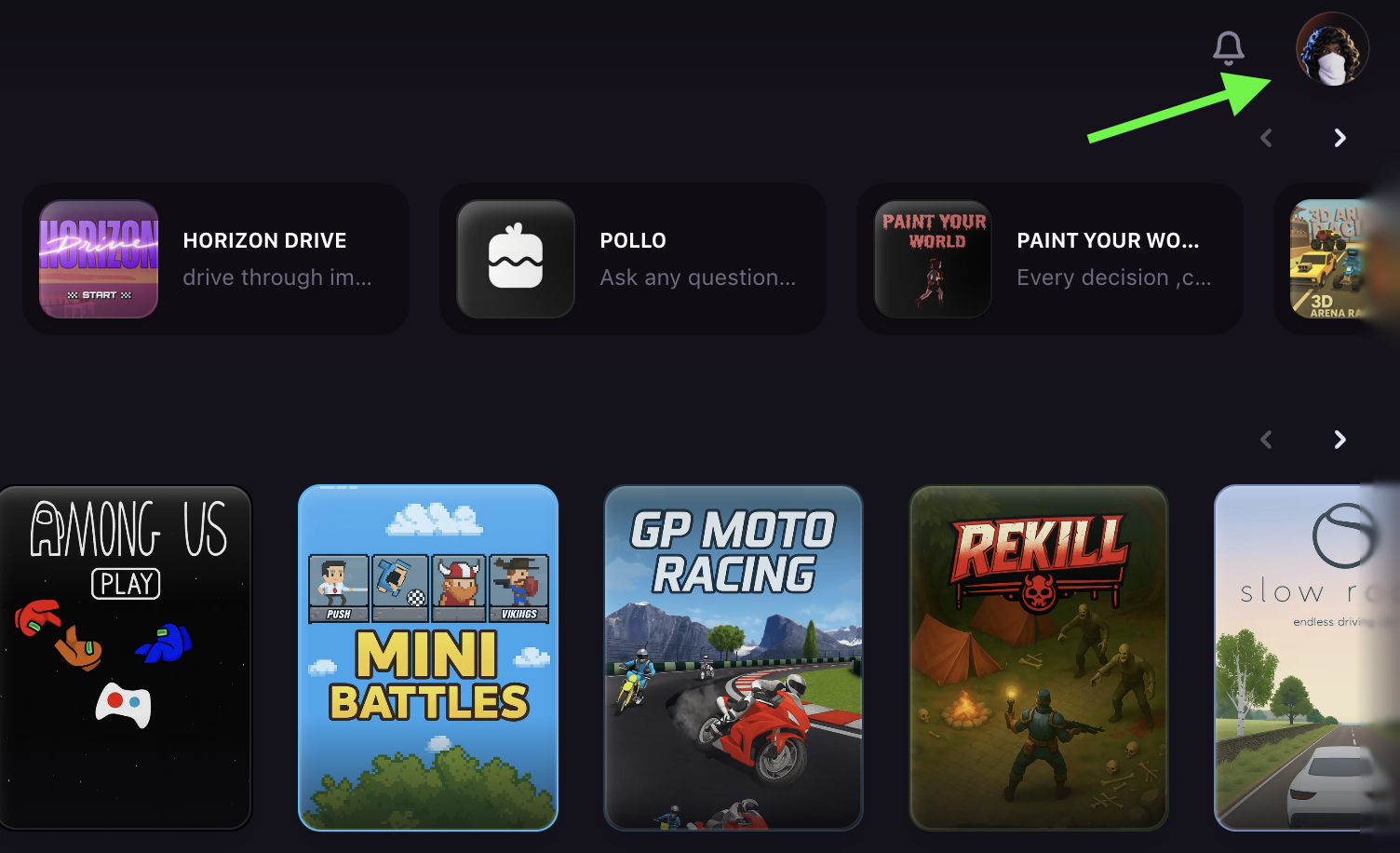
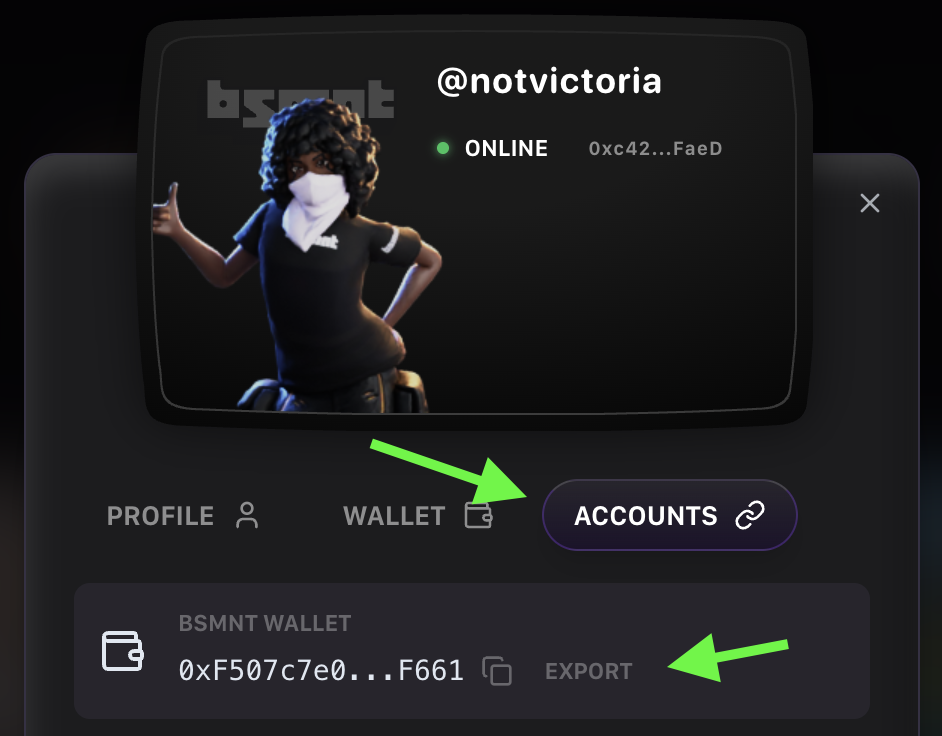
Navigate to Accounts tab
Go to the Accounts tab and click Export next to your wallet address.
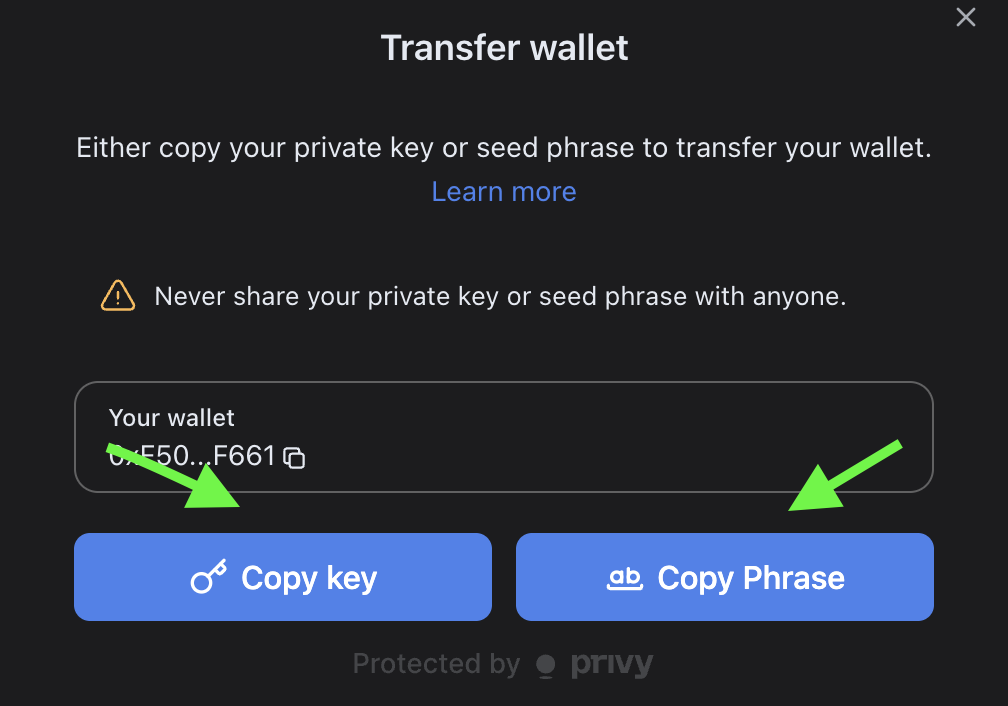
Copy your credentials
Click Copy to copy either your secret recovery phrase or private key to your clipboard.
Import to your preferred wallet
Paste it into your preferred wallet app to import your wallet.
Your BSMNT wallet is now accessible in your external wallet app while maintaining full compatibility with the B3 ecosystem.
Your exported wallet credentials give you complete control over your funds and allow you to use the same wallet across multiple applications and platforms.