
Withdrawing Tokens from B3
Learn how to securely withdraw your tokens from the B3 network back to Ethereum or other supported chains
Need to move your tokens out of the B3 network? Whether you're bridging back to Ethereum or another supported chain, withdrawing from B3 is simple and only takes a few steps. This guide walks you through how to securely withdraw your assets.
How to Withdraw Tokens
Navigate to the bridge
Log in to your account at basement.fun/bridge.
Select withdrawal tab
Locate and click the tab labeled Withdrawal.
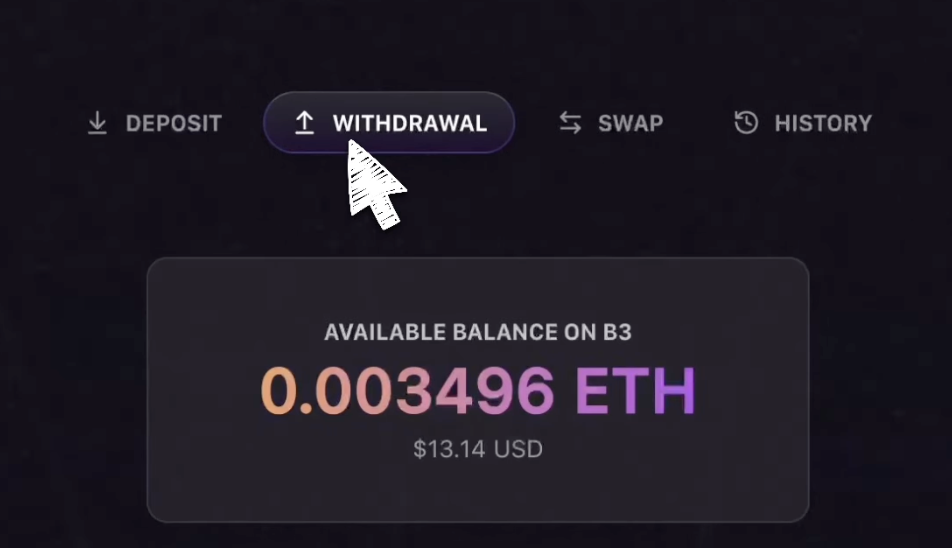
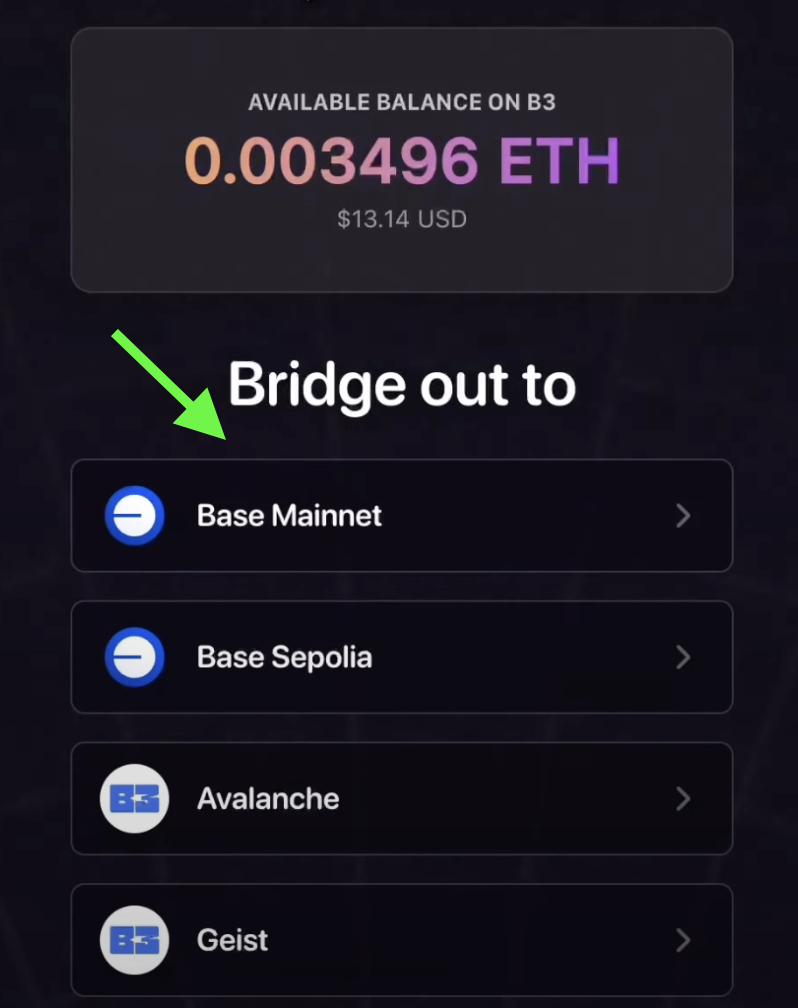
Choose destination network
Scroll down and select the network you would like to withdraw your tokens to.
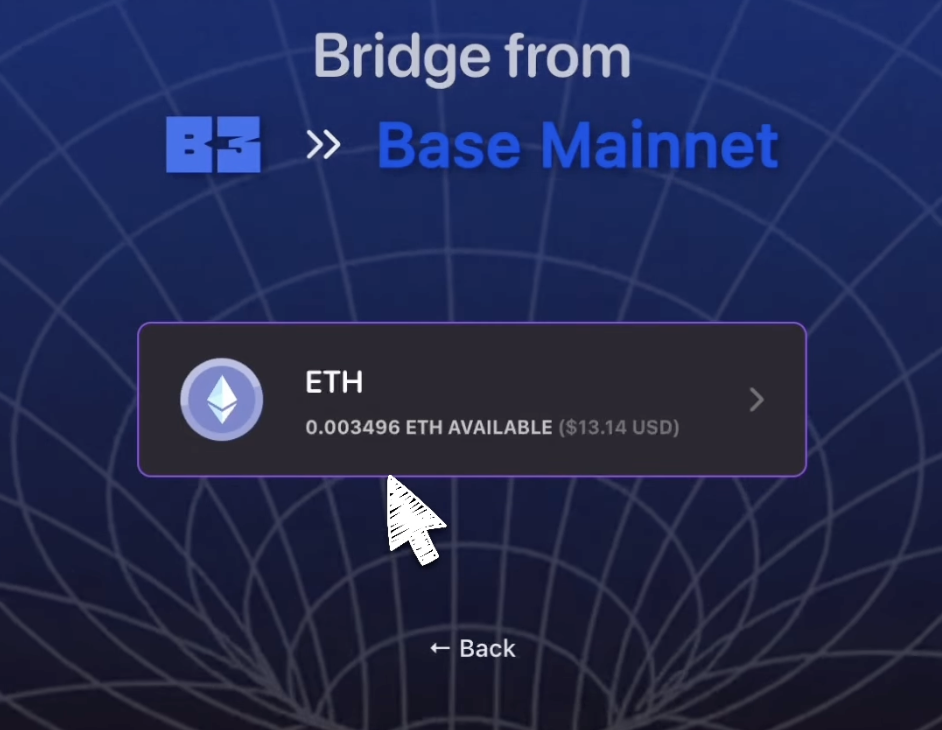
Select token
Select the token you want to withdraw.
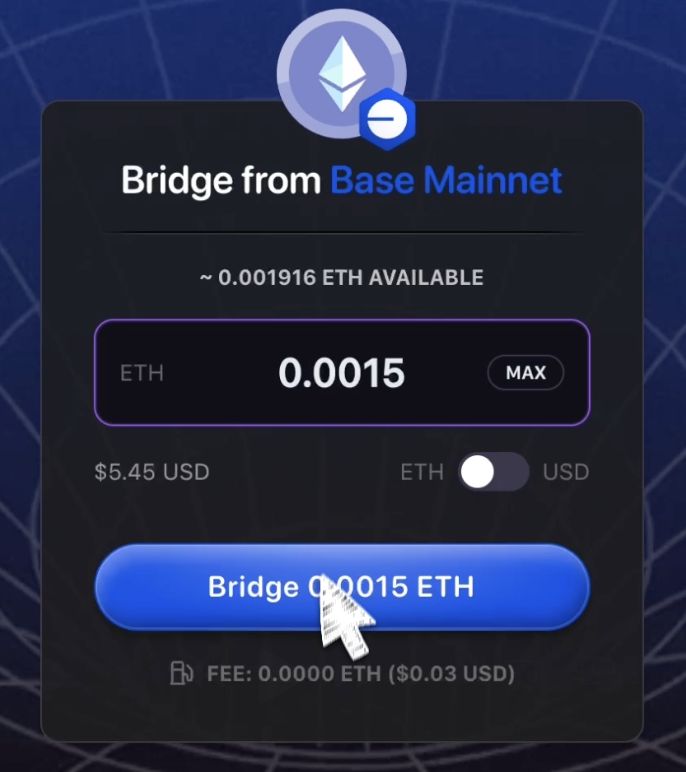
Enter amount and bridge
Enter your withdrawal amount, and then click Bridge.
Confirm transaction
Confirm the transaction in your wallet to complete your withdrawal.
Once confirmed, your tokens will be bridged to the selected network and should arrive shortly.
Withdrawal processing times typically range from a few minutes to an hour, depending on network congestion and the destination chain.